Running Webinars Shouldn't Feel Like Herding Cats.
But it does when you don't have a system
The Webinar Blueprint is a complete, pre-built webinar operating system inside HighLevel CRM.
Funnels.
Automations.
Email sequences.
Registration tracking.
Follow-up workflows.
All built. Waiting. Ready for you to customize.
Let's Talk About What Running Webinars Actually Looks Like Without A System

You planned the perfect webinar. The topic is solid. Your audience is ready.
Then registration page goes live and you have no way to track who signed up.
You send a confirmation email manually to early registrants but forget to set up the reminder sequence.
Your webinar happens. Thirty people show up live. You make the offer. Some buy immediately.
But you have no system for following up with the people who didn't purchase. Their Zoom attendance link is in your notes somewhere. Your replay is sitting in an email draft.
Sound Familiar?
This is what happens when you manage webinars on sticky notes and hope.
It works for the first webinar.
But by the third one, you're scrambling to remember who bought, who ghosted, and whether that person who attended actually watched the replay.
The Webinar Blueprint changes that.
Not because it does everything for you. But because it gives you a system that makes webinars repeatable, scalable, and actually profitable.
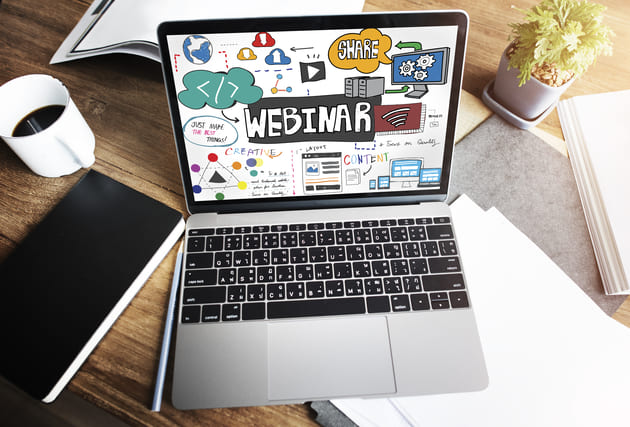

A Complete Webinar Operating System Built Inside HighLevel CRM
This isn't just a course full of theory about webinar best practices.
This isn't just a template library you have to figure out on your own.
This is a fully built infrastructure inside HighLevel CRM that handles the operational side of your webinar business so you can focus on delivering great content AND make sure nothing falls through the cracks.
Here's What's Already Built and Waiting for You:
Registration Funnels
Complete registration landing page
Thank you / confirmation page
Registration form (collects name, email, optional fields)
Email Sequences
Immediate confirmation email
24-hour reminder
1-hour reminder
10-minute reminder
Replay email (for attendees)
Offer follow-up sequence (3 emails for non-buyers)
No-show sequence (2 emails for people who registered but didn't attend)
Automation Workflows
Registration form submission → automatic tagging & pipeline stage
Confirmation email → triggered immediately
Reminder sequence → triggered on schedule
Post-webinar branching → attendees vs. no-shows vs. buyers
Offer follow-up → triggered only for non-purchasers
Pipeline & Tracking
Webinar opportunity pipeline (4 stages: Registered, Attended, Did Not Attend, Purchased)
Contact tagging system (webinar-registered, webinar-attended, webinar-no-show, webinar-purchased)
Zoom link integration
Replay link tracking
Templates & Assets
Registration page template
Email templates (all 10)
Post-webinar follow-up worksheets
Email customization checklists
Promotion timeline
AI Prompts
Registration page headline and copy
Webinar title variation generator
Email subject line suggestions
Social media promotional content
Follow-up email copy
Post-webinar launch planning
What You Actually Have to Do

Customize the messaging to match YOUR voice.
Add YOUR webinar topic, promise, and offer details.

Adjust the templates to fit YOUR audience and delivery style.

Make decisions about YOUR webinar business, pricing, and goals.
That's it. The heavy lifting is done. You just make it yours.
And Because A System Only Works
If You Understand It…
You're not just getting a snapshot you have no idea how to use.
You're getting a complete course that walks you through every decision, every phase, and every piece of the system.
The Webinar Blueprint Course Covers All 6 Modules of Webinar Success:
MODULE 1: Welcome & Before You Touch Anything
What's in the snapshot
What you need to have ready before you start
Connecting your calendar and email settings
MODULE 2: Your Webinar Foundation
Naming your webinar and setting your date
Defining your promise (the one thing attendees get)
Setting up your webinar event in GHL
MODULE 3: The Registration Funnel
Customizing your registration page
The thank you/confirmation page
Linking your Zoom or streaming platform
Testing your funnel before launch
MODULE 4: The Email Automation Sequence
• The confirmation email
• The reminder sequence (24-hour, 1-hour, 10-minute)
• Customizing your reminder emails
• Activating your automation workflow
MODULE 5: Post-Webinar Follow-Up Sequences
The replay email (for attendees)
The no-show sequence
The offer follow-up (for non-buyers)
Setting the sequence triggers
MODULE 6: Launch Readiness Checklist
Pre-launch checklist walkthrough
How to promote your registration link
After the webinar: what to do next

For Each Module, You'll Learn:
WHY we built the system the way we did
HOW to customize each for your webinar business
WHAT to consider at each decision point
WHERE the AI prompts help you move faster
You'll leave knowing exactly how your system works, why it works, and how to hand pieces of it off to a team.
Two Ways To Get The Webinar Blueprint
Choose the path that fits your style.
SELF-GUIDED
Blueprint DIY
The Self-Guided Webinar Operating System
Best for: The action-taker who learns by doing and wants to move at their own pace
Full HighLevel Snapshot installed in your account (funnels, automations, workflows, forms)
Complete 6-module course walking you through every part of the system
Customization checklists for every page, email, and workflow
AI prompts to help you write your own copy, promotional materials, and follow-up content
Registration page templates
Email templates (all 10)
Promotion timeline and social media planning guide
Post-webinar follow-up worksheets
All the thinking done for you—you just make the decisions
What you're expected to do:
Go through the course.
Make decisions about your webinar topic, offer, and goals.
Customize the pages and emails in your own voice.
Set up your branding and webinar details inside the snapshot.
Implement as you learn.
Ask the AI for help when you get stuck.
Who this is NOT for:
People who buy courses and never open them.
People who want someone else to do it for them.
People who are not in HighLevel or don't plan to be
$1,500
(Payment plans Available with Affirm at checkout)
GUIDED BUILD
Blueprint Done With You
The Guided Build Experience with Brook Borup
Best for: The business owner who wants expert guidance, accountability, and a system built specifically for your webinar business with experienced hands on the wheel
Here you get everything in Blueprint DIY, PLUS:
You Get Brook
Brook Borup has been in the business operations and webinar/speaking world for over 20 years. She's launched webinars that generated 6-figures in revenue. She's helped 800+ business owners systemize their operations across 8 countries. She knows what separates high-converting webinars from mediocre ones. She knows what follow-up actually gets people to take action. And she's going to make sure your system is built right the first time instead of rebuilt after your third webinar when you realize something isn't working.
Here's what the Done With You experience includes:
Everything in Blueprint DIY
Strategy Sessions with Brook — Working sessions to clarify your webinar topic, promise, offer, and business goals before you build anything
Guided Snapshot Customization — Brook walks through your snapshot with you, identifies what needs to change, and helps you make those decisions
Registration Page Review — Your headlines, copy, and design reviewed and optimized for conversions
Email Voice Review — Your confirmation and reminder emails reviewed and refined to match your voice and audience
AI Prompt Customization — Your prompts customized for YOUR webinar topic, YOUR voice, and YOUR audience so the output sounds like you
Launch Planning Session — A dedicated working session to map out your promotion strategy, email schedule, and webinar day timeline
Implementation Accountability — You're not just watching videos. You're building. Brook makes sure you finish.
Priority Email Support — Questions answered within 1 business day throughout your implementation period
4 weeks of access to Brook's team for implementation questions
What you can expect from working with Brook:
Honesty about what's working and what needs to change.
No sugarcoating.
No 'great job!' when something needs to be redone.
Genuine investment in your webinar success.
And a sense of humor about the whole process because webinars don't have to be this serious.
Results you can expect:
A fully customized webinar operating system that fits your business.
Clarity on your topic, promise, and offer.
A registration funnel that converts.
An email sequence that reminds people to show up.
A post-webinar system that actually sells.
A system you can hand off to a team or repeat without rebuilding.
The confidence to run webinars as a revenue-generating business asset.
Who this is NOT for:
People who want someone to do it entirely for them (that's our Done For You service—ask us about it).
People who aren't willing to show up and do the work between sessions.
People who just want to 'talk about' webinars without actually building a system.
$2,500
(Payment plans Available with Affirm at checkout)
Your Webinar Business Deserves A System.
You Deserve Webinars That Works.
You've been thinking about this long enough.
The infrastructure is already built. The templates are already written. The automations are already mapped out. All that's left is making it yours.
Pick your path and let's get your webinar operating like the revenue-generating business asset it was always supposed to be
Questions? Email us at [email protected] or Book a Quick Call